
PowerPoint on Video Walls Guide
PowerPoint can work extremely well on an LED video wall when the presentation is designed around the screen dimensions, native resolution, aspect ratio, viewing distance, audience size, pixel pitch, and event-production workflow.
This PowerPoint on Video Walls Guide answers the most common questions about preparing, connecting, displaying, scaling, and operating PowerPoint presentations on LED video walls for conferences, corporate events, medical meetings, research presentations, association events, product launches, galas, and other live productions.
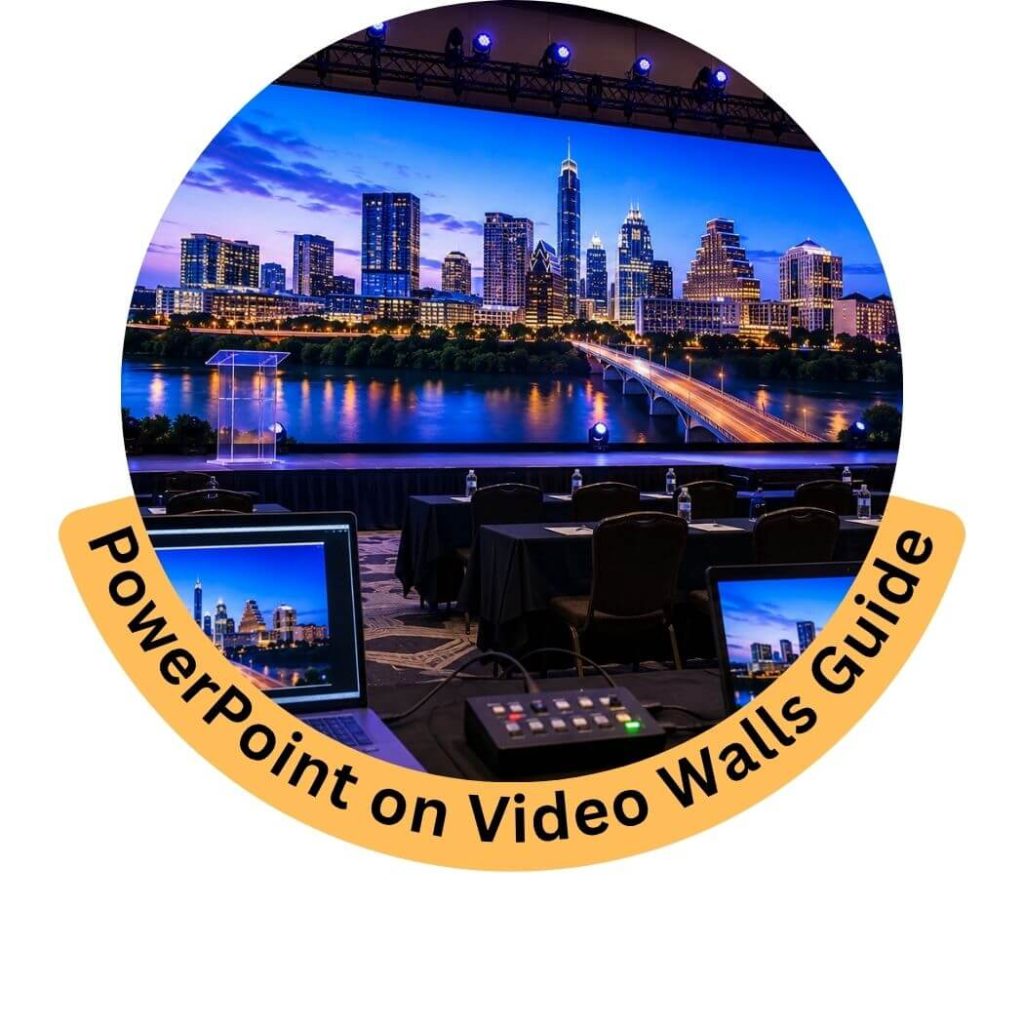
Frequently Asked Questions About PowerPoint on Video Walls
Can PowerPoint be displayed on an LED video wall?
Yes.
PowerPoint presentations can be displayed on professional LED video walls using a compatible presentation computer, video processor, switcher, and signal-distribution system.
The presentation can include:
-
Slides
-
Charts
-
Videos
-
Images
-
Animations
-
Speaker names
-
Data
-
Sponsor graphics
-
Embedded media
Does PowerPoint work differently on an LED video wall than on a projector?
The PowerPoint file itself can be similar, but the display environment is different.
LED video walls may have:
-
Custom resolutions
-
Custom aspect ratios
-
Much larger physical dimensions
-
Different pixel pitches
-
Higher brightness
-
Different processing requirements
The presentation should therefore be reviewed for the actual LED canvas.
Do I need a special PowerPoint file for an LED wall?
Not always.
A standard presentation can often be scaled to the video wall using professional processing.
However, custom LED canvases may benefit from slides designed specifically for the final screen dimensions and aspect ratio.
What aspect ratio should I use for PowerPoint on a video wall?
Many presentations use 16:9, which works well for standard widescreen LED configurations.
However, modular LED can also be configured as:
-
Ultra-wide
-
Panoramic
-
Vertical
-
Square
-
Multi-screen
-
Custom scenic layouts
The slide format should match the intended display design where possible.
Is 16:9 the best PowerPoint format for LED walls?
It is often the easiest format for conventional conference and corporate video walls because it matches common HD and 4K source formats.
It is not mandatory.
Custom LED walls may require custom PowerPoint dimensions or content mapping.
Can a 4:3 PowerPoint presentation be shown on a 16:9 LED wall?
Yes.
The presentation can be scaled, centered, or displayed with unused areas around it.
However, converting the deck to 16:9 may provide better use of the screen.
Should I convert an old 4:3 PowerPoint deck to 16:9?
Often, yes, particularly when the main event display is widescreen.
Conversion should be reviewed carefully because objects, images, charts, and text may shift during the change.
How do I change PowerPoint from 4:3 to 16:9?
PowerPoint allows the slide size to be changed through its slide-size settings.
After changing the format, review every slide for:
-
Text wrapping
-
Image cropping
-
Chart positioning
-
Video size
-
Logos
-
Background graphics
Can PowerPoint use a custom aspect ratio for an LED wall?
Yes.
PowerPoint allows custom slide dimensions, which can help designers create content for unusual LED canvases.
However, the final pixel dimensions and processor workflow should be confirmed with the video-production team first.
Should PowerPoint slide dimensions match the LED wall exactly?
Not always, but matching the canvas can be useful for custom displays.
For conventional 16:9 LED walls, standard PowerPoint dimensions are usually sufficient.
For ultra-wide or irregular canvases, a custom slide format may be preferable.
What resolution should PowerPoint be for a video wall?
The PowerPoint source does not always need to match the native LED resolution exactly.
Professional video processors can scale the presentation to the display.
However, image quality is improved when source content has sufficient resolution for the final canvas.
Does PowerPoint have a fixed pixel resolution?
PowerPoint is based primarily on slide dimensions rather than a fixed output resolution.
The actual video signal from the presentation computer determines the pixel resolution sent to the LED system.
Can I output PowerPoint at 1920 × 1080?
Yes.
A presentation computer can output a standard 1920 × 1080 signal when supported by the hardware and production system.
Can I output PowerPoint at 4K?
Yes.
A compatible computer and production system can output PowerPoint at 4K resolution.
Whether 4K is necessary depends on the LED wall’s native resolution and the overall system design.
Does an LED wall need to be 4K to show a 4K PowerPoint signal?
No.
A professional processor can accept a 4K source and scale it to the LED wall’s native resolution.
Is 4K PowerPoint better than 1080p on an LED wall?
Not always.
If the LED wall’s native resolution is below 4K, a 4K source may provide little visible benefit.
Content quality, pixel pitch, viewing distance, and physical screen size matter more than source resolution alone.
Can PowerPoint be shown on an LED wall that is not 16:9?
Yes.
Professional video processing can scale, crop, or position the presentation within a custom LED canvas.
For unusual screen shapes, custom-designed content may produce better results.
What happens if the PowerPoint aspect ratio does not match the LED wall?
Depending on the processor configuration, the content may be:
-
Centered
-
Scaled
-
Cropped
-
Letterboxed
-
Pillarboxed
-
Integrated into a larger branded layout
The preferred method should be decided before the event.
What is letterboxing?
Letterboxing occurs when horizontal bars appear above and below content because its aspect ratio does not match the display area.
What is pillarboxing?
Pillarboxing occurs when vertical bars appear on the left and right sides of content because the aspect ratio does not match the display.
Can black bars around PowerPoint be avoided?
Usually.
The presentation can be reformatted, the processor can create a custom layout, or branded graphics can be used around the presentation area.
Can PowerPoint fill an ultra-wide LED wall?
Yes, but a standard 16:9 presentation may not naturally fill an ultra-wide canvas.
Options include:
-
Custom slide dimensions
-
Presentation in the center with branding on the sides
-
Camera IMAG beside slides
-
Sponsor graphics
-
Event graphics
-
Multiple content windows
Can I put PowerPoint in the center and camera feeds on the sides?
Yes.
This is a common conference configuration.
A wide LED canvas can display:
-
Presentation in the center
-
Camera IMAG on one side
-
Speaker information on the other
-
Event branding around the layout
Can PowerPoint and a live camera appear at the same time?
Yes.
Professional video processing or switching can combine the presentation and camera feed in a single layout.
Can PowerPoint and a remote speaker appear together?
Yes.
A remote participant can be displayed alongside the presentation using an appropriate conferencing and video-processing workflow.
Can multiple PowerPoint presentations be shown on one LED wall?
Yes.
Multiple presentation computers can be connected to a video switcher, allowing operators to move between different presenters or decks.
Can two PowerPoint files be displayed side by side?
Yes.
The LED canvas must be large enough for both presentations to remain readable.
Side-by-side layouts usually work better on wide or high-resolution displays.
Can different PowerPoint decks be shown on different LED screens?
Yes.
Independent displays can receive separate presentation feeds using appropriate switching and signal routing.
Can one PowerPoint feed be sent to multiple screens?
Yes.
The same presentation can be distributed to:
-
Main LED wall
-
Side screens
-
Confidence monitors
-
Overflow screens
-
TV monitors
-
Recording systems
-
Streaming systems
Do I need a video processor for PowerPoint on an LED wall?
Yes, modular LED systems use video processing to map the presentation signal to the physical LED canvas.
What does the LED processor do with PowerPoint?
The processor can:
-
Scale the presentation
-
Map it to the LED canvas
-
Position the image
-
Manage custom resolutions
-
Route video to the correct screen area
-
Support multiple layouts
Do I need a video switcher for PowerPoint?
Not always.
A simple single-laptop presentation may not require complex switching.
A video switcher becomes useful when the event has:
-
Multiple laptops
-
Cameras
-
Videos
-
Graphics
-
Remote presenters
-
Backup computers
-
Multiple screens
Why use a presentation switcher instead of plugging a laptop directly into the LED wall?
A professional switching workflow provides better control over:
-
Source changes
-
Backup computers
-
Cameras
-
Videos
-
Black frames
-
Holding slides
-
Screen layouts
-
Technical troubleshooting
It also reduces the chance of audiences seeing desktop activity.
Can I connect a laptop directly to a video wall?
Technically, some systems may allow a direct source connection through the processor.
For professional events, a managed production workflow is usually preferable.
What cable connects PowerPoint to the video wall?
Possible signal formats include:
-
HDMI
-
DisplayPort
-
USB-C
-
SDI through conversion
-
Fiber-based video distribution
The correct connection depends on the computer, switcher, processor, and distance.
Can USB-C be used for PowerPoint on an LED wall?
Yes, if the laptop supports video output through USB-C and the production system has an appropriate adapter or interface.
Can HDMI be used for PowerPoint?
Yes.
HDMI is commonly used for short-distance presentation sources.
Longer signal paths may require conversion or professional distribution.
Can DisplayPort be used?
Yes.
DisplayPort can be used when supported by the computer and production equipment.
Can PowerPoint run over SDI?
PowerPoint computers do not typically output SDI directly, but the computer signal can be converted to SDI for professional distribution.
Can PowerPoint be sent over fiber?
Yes.
Fiber can be useful when the presentation computer is far from the LED processor or control position.
Can I present PowerPoint wirelessly?
Potentially, but mission-critical live events often benefit from a wired presentation connection because it provides greater predictability.
Wireless solutions may still be suitable for certain applications.
Is a wired connection better for important presentations?
Usually.
A professional wired presentation system reduces dependence on wireless network conditions and helps maintain a stable signal path.
Can I run PowerPoint from my personal laptop?
Yes, if it is compatible with the production system.
However, critical events often benefit from using a dedicated show computer that has been tested in advance.
Should I use a dedicated presentation laptop?
For professional conferences and corporate events, yes where practical.
A dedicated machine reduces the risk of:
-
Notifications
-
Software updates
-
Personal messages
-
Unknown settings
-
Incompatible adapters
-
Background applications
Should I bring a backup PowerPoint laptop?
For important events, a backup presentation computer can provide useful redundancy.
Can two laptops run the same PowerPoint as a backup?
Yes.
A primary and backup system can be configured so the operator can switch sources if necessary.
Should the backup laptop have the exact same PowerPoint file?
Yes.
The backup should generally use the same final presentation version, fonts, videos, and supporting assets.
What happens if the presentation laptop crashes?
With a properly designed switching workflow, the video operator can potentially switch to a backup source, holding slide, camera feed, or other content while the issue is addressed.
Should PowerPoint be tested before the event?
Yes.
Testing should confirm:
-
Slide formatting
-
Fonts
-
Videos
-
Audio
-
Animations
-
Aspect ratio
-
Output resolution
-
Embedded media
-
Presenter view
-
Remote content
-
Clickers
When should PowerPoint files be submitted for testing?
Ideally, final or near-final files should be available before rehearsal.
Last-minute changes can still occur, but early testing helps identify technical issues.
Can I make changes to PowerPoint on event day?
Yes, but changes should be managed carefully.
Late edits can introduce:
-
Missing fonts
-
Broken videos
-
Layout changes
-
Incorrect versions
-
Timing issues
How should PowerPoint files be named for an event?
Use clear file names that identify:
-
Presenter
-
Session
-
Version
-
Date
Avoid generic names such as Presentation Final New 2.pptx.
Should I include version numbers in PowerPoint file names?
Yes.
Version control is useful when multiple updates are received from speakers.
What fonts work best on an LED video wall?
Clean, readable fonts generally perform well.
Sans-serif fonts are often effective for large-event presentations because they remain clear at distance.
Should I use very thin fonts on an LED wall?
Usually not.
Thin type can be difficult to read from the rear of a room, particularly when projected over complex backgrounds.
Should PowerPoint text be larger for LED walls?
Yes, especially for large audiences.
A font that looks large on a laptop can appear very small from the back of a ballroom.
What font size should I use?
There is no universal size.
The correct font size depends on:
-
Screen dimensions
-
Audience distance
-
Room depth
-
Slide layout
-
Screen elevation
The farther the audience, the larger the text should be.
Should I avoid small footnotes?
Generally, yes.
Small footnotes are often unreadable for large audiences.
If the information matters, increase its size or simplify the slide.
Should I reduce the amount of text on each slide?
Usually.
Large-event presentations are easier to follow when slides use:
-
Fewer words
-
Larger text
-
Clear hierarchy
-
Strong visuals
-
Simplified layouts
How many bullet points should I use?
There is no strict rule, but dense bullet-heavy slides are harder to read from a large room.
Focus on the information the audience must understand immediately.
Do bold fonts work well on LED walls?
Yes.
Moderate or bold font weights can improve readability at distance.
Does font color matter?
Yes.
Strong contrast between text and background improves readability.
Should I use high-contrast PowerPoint slides?
Yes.
High contrast helps attendees interpret content from farther away.
Should I use white text on black?
It can work very well.
However, overall brightness, font weight, and design should still be reviewed.
Can black text on white work?
Yes.
It provides strong contrast but can produce a very bright full-screen image on a large LED wall.
The video team can adjust display brightness where appropriate.
Should I avoid gray text?
Light gray text can be difficult to read at distance.
Use sufficient contrast.
Does PowerPoint background color matter on LED?
Yes.
Very bright full-screen backgrounds can create a strong visual presence on a large LED wall.
Dark or branded backgrounds may provide more comfortable viewing in some environments.
Does a white PowerPoint slide use more LED power?
Bright full-screen content can increase power consumption on many LED systems compared with darker content.
Electrical design should still be based on the equipment’s rated requirements.
Can PowerPoint colors look different on LED?
Yes.
Colors can vary due to:
-
LED calibration
-
Processor settings
-
Display brightness
-
Ambient lighting
-
Source-computer output
Critical brand colors should be tested.
Can LED walls match exact brand colors?
The system can be calibrated for consistent visual reproduction, but a live event display should not automatically be treated as a color-critical print-proofing device.
Should logos be high resolution?
Yes.
Use high-quality source artwork whenever possible.
What file format should logos use in PowerPoint?
High-resolution PNG, SVG where PowerPoint compatibility permits, or other suitable graphic formats can work well.
Avoid small low-quality JPEGs where possible.
Can SVG graphics be used in PowerPoint?
Yes, in modern PowerPoint versions.
Vector graphics are useful because they can remain sharp when resized.
Should I use PNG instead of JPEG?
PNG can be preferable for logos, icons, and graphics requiring transparency or sharp edges.
JPEG is suitable for photographs when saved at adequate quality.
Why do some images look blurry on an LED wall?
Possible causes include:
-
Low-resolution source files
-
Excessive enlargement
-
Compression
-
Screenshot-based graphics
-
Incorrect scaling
The problem may originate in the PowerPoint file rather than the LED wall.
How large should images be?
Images should have enough resolution for the physical size at which they will be displayed in the presentation.
Avoid using tiny web images stretched across the entire screen.
Can I use screenshots in PowerPoint?
Yes, but make sure they are captured at adequate resolution and remain readable for the audience.
Are screenshots of websites readable on a video wall?
Potentially, but websites often contain very small text.
Crop and enlarge the important area rather than displaying the entire page.
Can software demonstrations be shown in PowerPoint?
Yes.
Screenshots, videos, and live software feeds can be incorporated.
Detailed interfaces may require fine-pitch LED and close audience viewing.
Should charts be simplified for LED walls?
Yes.
Large audiences benefit from:
-
Fewer data series
-
Larger labels
-
Thicker lines
-
Larger numbers
-
Clear highlights
Can Excel charts be copied into PowerPoint?
Yes.
Make sure chart labels and numbers are large enough for the event audience.
Can Excel spreadsheets be displayed?
Yes, but dense spreadsheets are usually difficult to read from far away.
Highlight or enlarge only the important data.
Should I avoid large tables?
Dense tables should generally be simplified.
If the full table must be shown, increase text size and reduce the number of rows or columns visible at once.
Can financial data be displayed clearly?
Yes, with appropriately designed charts, large numbers, simplified tables, and a sufficiently large video wall.
Can medical graphics be displayed in PowerPoint?
Yes.
Medical, scientific, and research graphics can be displayed for presentation purposes.
Any diagnostic or regulated viewing requirements should be established separately by the organizer.
Can detailed diagrams be shown?
Yes.
Fine-pitch LED, adequate screen dimensions, and large labels help improve diagram readability.
Can CAD drawings be shown in PowerPoint?
Yes, but detailed technical drawings may need to be simplified or enlarged for audience viewing.
Can maps be shown on LED walls?
Yes.
Use large labels and simplified detail where the audience is far from the screen.
Can QR codes be placed in PowerPoint?
Yes.
QR codes should be:
-
Large enough
-
High contrast
-
Displayed long enough
-
Tested from the intended audience distance
How large should a QR code be?
It depends on scanning distance.
The farther the audience is from the screen, the larger the QR code should be.
Can attendees scan QR codes from the back of the room?
Potentially, if the code is displayed at sufficient physical size and the camera has a clear view.
Testing is recommended.
Can PowerPoint animations work on LED walls?
Yes.
Standard PowerPoint animations can be displayed through the production system.
Do animations look smooth on LED?
They can.
Performance depends on:
-
Presentation computer
-
Frame rate
-
Video processing
-
LED refresh rate
-
Animation complexity
Should I avoid complicated animations?
For critical presentations, simpler animations can reduce the risk of timing or playback issues.
Can PowerPoint transitions be used?
Yes.
Transitions should be tested during rehearsal.
Can embedded videos play inside PowerPoint?
Yes, but embedded media should be tested carefully before the event.
Why do PowerPoint videos sometimes fail?
Common causes include:
-
Missing files
-
Unsupported codecs
-
Broken links
-
Different computer configurations
-
Incomplete file transfer
Should videos be embedded or linked?
Embedding can reduce the risk of broken file paths.
However, large media files should still be tested on the actual show computer.
Should important videos be played outside PowerPoint?
For major event productions, critical videos are often loaded into dedicated playback software rather than relying entirely on PowerPoint.
This can provide greater control and reliability.
Can a video operator switch from PowerPoint to a dedicated playback system?
Yes.
A video switcher can move between:
-
PowerPoint
-
Video playback
-
Cameras
-
Graphics
-
Remote speakers
without exposing computer desktops to the audience.
Can PowerPoint video include sound?
Yes.
The presentation computer’s audio output can be routed into the event sound system.
Should embedded video audio be tested?
Yes.
Confirm:
-
Volume level
-
Audio routing
-
File playback
-
Start timing
-
Muting
-
Transitions
during rehearsal.
Can YouTube videos be played inside PowerPoint?
Potentially, but relying on live internet playback can introduce risk.
For event-critical content, an authorized local video file is generally more predictable where licensing and usage rights permit.
Can online videos fail because of internet problems?
Yes.
Internet bandwidth, network restrictions, logins, advertising, and service changes can affect playback.
Should I download online videos for an event?
Only when you have the legal right and appropriate authorization to use the content.
Can PowerPoint show live websites?
Yes, through a browser or compatible integration, but live internet content depends on network reliability.
Can I switch from PowerPoint to a website?
Yes.
A switcher can transition to a browser computer or another presentation source.
Can I show Zoom or Teams participants beside PowerPoint?
Yes.
Remote-conferencing feeds can be combined with presentation content through a professional video workflow.
Can PowerPoint be used for hybrid events?
Yes.
Slides can be distributed both to the in-room LED wall and to the streaming or remote audience workflow.
Can remote attendees see the same slides as the room?
Yes.
The presentation feed can be routed to both environments.
Can the in-room LED wall and livestream show different layouts?
Yes.
For example, the room may see a large PowerPoint slide while the livestream sees a layout containing slides, camera, speaker name, and branding.
Can PowerPoint be recorded?
Yes.
The presentation signal can be incorporated into the event recording.
Can slides be recorded without filming the LED wall?
Yes.
The direct PowerPoint signal can be recorded digitally, which generally produces cleaner presentation capture than filming the screen.
Can PowerPoint and cameras be recorded separately?
Potentially.
More advanced productions can record isolated sources such as:
-
Presentation
-
Program feed
-
Individual cameras
depending on the recording system.
Can PowerPoint be streamed live?
Yes.
The presentation feed can be integrated into a livestream along with cameras and event audio.
What is presenter view?
Presenter View allows the presenter to see information that is not visible to the audience, such as:
-
Current slide
-
Next slide
-
Speaker notes
-
Timer
Can Presenter View work with an LED wall?
Yes.
The laptop can use an extended-desktop configuration so the audience receives the slide output while the presenter sees Presenter View.
Will the audience see my presenter notes?
Not if the computer and output are configured correctly.
The LED wall should receive the slideshow output rather than the Presenter View screen.
What happens if PowerPoint displays the wrong monitor?
This can happen when display assignments change.
The presentation computer should be tested and configured before the show.
Can a technician manage Presenter View?
Yes.
A presentation technician can help manage computer outputs, slide advancement, and display assignment.
What is a confidence monitor?
A confidence monitor is a screen positioned where the presenter can see it without turning toward the main LED wall.
Can PowerPoint be shown on confidence monitors?
Yes.
Confidence monitors can display:
-
Current slide
-
Next slide
-
Notes
-
Timer
-
Remote participants
-
Program feed
depending on the production setup.
Can the presenter see the next slide while the audience sees only the current slide?
Yes.
This can be configured through PowerPoint Presenter View or a dedicated confidence-monitor system.
Can a countdown timer be displayed with PowerPoint?
Yes.
A confidence monitor can display a presenter timer while the audience sees the presentation.
Can speaker notes be placed on confidence monitors?
Potentially.
The exact workflow depends on the presentation software and confidence-monitor setup.
Can panelists have their own confidence monitor?
Yes.
Additional monitors can be positioned for panelists, moderators, or presenters where required.
Can stage monitors show remote speakers?
Yes.
This can help presenters maintain eye contact and interact naturally with remote participants.
Can I use a presentation clicker with an LED wall?
Yes.
The clicker controls the PowerPoint computer, not the LED wall itself.
How far can a presentation clicker work?
Range depends on the specific clicker and room environment.
Large stages may require a professional presentation-control solution.
Can wireless clickers fail?
Potentially.
Battery issues, distance, interference, or receiver problems can occur.
Backup control should be available for important events.
Can a technician advance slides for the presenter?
Yes.
The presenter can cue a presentation operator verbally or through rehearsed cues.
Is operator-controlled PowerPoint better for large conferences?
It can be.
Centralized presentation operation provides consistent control when many speakers use different decks.
What is a speaker-ready room?
A speaker-ready room is a controlled area where presenters can submit and review their presentation files before going on stage.
Do conferences need a speaker-ready room?
Large multi-speaker conferences can benefit from one because it allows files to be:
-
Collected
-
Checked
-
Organized
-
Updated
-
Transferred to show computers
Can multiple speakers submit PowerPoint files?
Yes.
A presentation-management workflow can organize decks by session, speaker, and version.
How are last-minute speaker changes handled?
Files should be version-controlled and loaded carefully onto the designated show computer.
A dedicated presentation operator can reduce confusion.
Can speakers use their own MacBooks?
Yes, but adapters, output formats, aspect ratio, and presentation settings should be tested.
Can speakers use Windows laptops?
Yes.
As with any personal laptop, connection and display settings should be checked before going live.
Is PowerPoint different on Mac and Windows?
Some fonts, videos, transitions, and formatting can behave differently between systems.
The final file should be tested on the actual presentation computer.
Can Keynote be shown on the LED wall?
Yes.
Keynote can be used as a presentation source if the computer and production workflow support it.
Can Google Slides be shown on a video wall?
Yes.
However, browser-based presentations depend on internet access unless an offline workflow is prepared.
Is PowerPoint more reliable than Google Slides for live events?
A locally stored presentation can reduce dependency on internet connectivity.
Reliability still depends on the computer and file preparation.
Can PDFs be shown instead of PowerPoint?
Yes.
PDF versions can be useful as a backup for static slides, though animations and embedded videos will not function the same way.
Should I save a PDF backup?
Yes.
A PDF provides a useful fallback if formatting or PowerPoint software problems occur.
Should I save videos separately too?
Yes.
Important videos should be supplied separately in addition to being embedded in the presentation.
Should custom fonts be supplied with the deck?
Where licensing permits, the production system should have access to the required fonts.
Otherwise, fonts may substitute and change the slide layout.
What happens if a font is missing?
PowerPoint may substitute another font, causing:
-
Line breaks
-
Overflow
-
Changed sizing
-
Different spacing
-
Misaligned layouts
Can fonts be embedded in a PowerPoint file?
Some PowerPoint versions support font embedding, depending on the font’s licensing and settings.
Should PowerPoint files include unusual fonts?
Use them only when necessary and test them on the actual show machine.
Can animations break when moving PowerPoint to another computer?
Potentially.
Missing fonts, media, plugins, or version differences can affect playback.
Should PowerPoint be opened on the show computer before the audience enters?
Yes.
The presentation should be loaded, checked, and ready before the session begins.
What should appear on the video wall before the presentation starts?
A holding slide can display:
-
Event logo
-
Session title
-
Sponsor branding
-
Speaker name
-
Countdown
-
Welcome message
Can the audience see the computer desktop between presentations?
A professional switching workflow should avoid this.
The switcher can display a holding graphic or another source while computers are being changed.
Can PowerPoint notifications appear on the video wall?
Yes, if computer notifications are not disabled.
Presentation computers should be configured to minimize:
-
Email alerts
-
Messaging popups
-
Calendar notices
-
System notifications
-
Update prompts
Should automatic software updates be disabled before an event?
The presentation computer should be configured to avoid unexpected updates or restarts during the event.
Should sleep mode be disabled?
Yes.
The computer should not automatically sleep or turn off its display during the event.
Should screen savers be disabled?
Yes.
Should laptop brightness affect the LED wall?
Normally no.
Laptop-screen brightness is separate from the video signal sent to the LED processor.
Does the mouse cursor appear on the LED wall?
It can.
Operators should position or hide the cursor when appropriate.
Can the cursor be hidden completely?
Presentation and playback workflows can minimize visible mouse activity.
Can I use PowerPoint’s laser pointer feature?
Yes, though visibility depends on how it is rendered in the slideshow and the viewing distance.
Can I annotate PowerPoint live?
Yes.
Live digital annotations can potentially be shown if the presentation workflow supports them.
Can touch screens control PowerPoint?
Yes.
Interactive touch displays can be used for presenter-controlled navigation or annotation in appropriate event setups.
Can PowerPoint be shown on both a touch screen and main LED wall?
Yes.
A touch display can potentially serve as an interactive control or secondary presentation surface while the main audience views the larger LED wall.
Can PowerPoint be shown on LED posters?
Yes, although LED posters are better suited to vertically formatted or simplified content than full presentation decks.
Can PowerPoint be shown on TV monitors?
Yes.
TV monitors are commonly used for:
-
Breakout rooms
-
Confidence monitors
-
Overflow rooms
-
Registration
-
Green rooms
Can the same PowerPoint go to the main LED wall and TVs?
Yes.
Signal distribution can route the same source to multiple display types.
Can different slides be shown in different rooms?
Yes.
Independent rooms require separate presentation sources or switching outputs.
Can PowerPoint be synchronized across multiple rooms?
Potentially.
A central source can be distributed to multiple rooms, or coordinated playback systems can be used depending on the production.
Can PowerPoint be shown in an overflow room?
Yes.
The presentation feed can be sent along with cameras and audio to overflow areas.
Can the overflow room see the speaker too?
Yes.
The overflow display can show camera IMAG, PowerPoint, or a combined program feed.
How does viewing distance affect PowerPoint design?
The farther the audience is from the screen, the more important it becomes to use:
-
Larger fonts
-
Larger graphics
-
Simplified charts
-
Fewer words
-
Larger video windows
-
Strong contrast
Can fine-pitch LED make PowerPoint easier to read?
Yes, particularly for nearby audiences.
Fine pitch can improve text and graphic detail, but physical content size remains critical for distant viewers.
What pixel pitch is best for PowerPoint?
There is no single best pitch.
The correct selection depends on:
-
Closest viewing distance
-
Screen dimensions
-
Content detail
-
Room layout
-
Budget
Presentation-heavy events often benefit from fine-pitch LED.
Is 1.9 mm LED good for PowerPoint?
It can be very effective for close-view presentation environments.
Whether it is necessary depends on the actual audience distance.
Is 2.6 mm LED good for PowerPoint?
Yes, in many event environments where the viewing distance is appropriate.
Can 3.9 mm LED show PowerPoint?
Yes.
It can work well where the audience is far enough from the display and the presentation is designed with sufficiently large content.
What happens if the pixel pitch is too large for PowerPoint?
Nearby viewers may notice pixel structure, and small text or fine chart details may look less smooth.
What happens if the screen is too small for PowerPoint?
Attendees farther from the screen may struggle to read the slides even if the LED has very fine pixel pitch.
Is screen size more important than pixel pitch for PowerPoint?
Both matter.
For close viewers, pixel pitch is important.
For distant viewers, physical screen size and font size become increasingly important.
How large should a PowerPoint video wall be?
Screen dimensions should be based on:
-
Audience depth
-
Room width
-
Stage dimensions
-
Viewing distance
-
Slide detail
-
Seating layout
Attendance alone is not enough.
Can PowerPoint be shown on a very large wall?
Yes.
Large walls can provide excellent presentation visibility when the content is scaled appropriately.
Can PowerPoint look stretched on a large LED wall?
Yes, if the source is incorrectly scaled to an incompatible aspect ratio.
Professional processing should preserve the correct proportions.
Can an LED processor crop PowerPoint?
Yes.
Cropping can be used intentionally for certain custom layouts, though important slide content should not be cut off.
What is pixel mapping?
Pixel mapping means positioning content according to the exact native pixels of the LED canvas.
It is especially useful for custom or unusual screen layouts.
Does normal PowerPoint require pixel mapping?
Standard 16:9 presentations generally do not require the presenter to manage pixel mapping directly.
The video-production system handles the scaling and LED mapping.
When should PowerPoint be designed at the exact LED resolution?
This is most useful for:
-
Ultra-wide canvases
-
Custom stage designs
-
Multiple LED surfaces
-
Scenic video environments
-
Pixel-specific branding
Can PowerPoint be part of a larger media-server canvas?
Yes.
A media server can place the PowerPoint feed within a much larger custom canvas containing graphics, cameras, and other content.
Do I need a media server for ordinary PowerPoint?
Usually not.
Standard conference presentations can typically be handled through a professional video processor and switcher.
When is a media server useful?
Media servers become valuable for:
-
Ultra-wide LED
-
Complex scenic screens
-
Multiple canvases
-
Custom playback
-
Synchronized graphics
-
Advanced mapping
Can PowerPoint transitions be synchronized with lighting?
Potentially, but this generally requires a planned show-control workflow rather than standard PowerPoint operation alone.
Can PowerPoint trigger video cues?
Yes, but for complex productions, dedicated playback and show-control systems may provide greater reliability.
Can a PowerPoint deck control audio cues?
It can contain audio, but critical event audio cues may be better managed separately depending on the production.
Should video playback be separated from PowerPoint for awards shows?
Often.
Awards programs may benefit from dedicated playback for nominee videos, walk-up music, stings, and other tightly timed cues.
Can PowerPoint still be used for award names and categories?
Yes.
It can be used effectively for award graphics, names, categories, sponsor slides, and presentation content.
Can PowerPoint be used for gala sponsor loops?
Yes.
Sponsor loops can be created in PowerPoint, although dedicated media playback can also be used.
Can PowerPoint run automatically without a presenter?
Yes.
Slides can be configured to advance automatically for:
-
Lobby loops
-
Sponsor content
-
Schedules
-
Welcome screens
Is PowerPoint good for digital signage?
It can work for simple temporary event signage, though dedicated digital-signage platforms may be better for more complex applications.
Can PowerPoint show event schedules?
Yes.
Keep schedules simple and readable.
Can PowerPoint display wayfinding?
Yes.
Use large directional graphics and minimal text.
Can PowerPoint display live polling results?
Yes, if the polling platform provides a compatible output or browser feed.
Can live data be shown inside PowerPoint?
Potentially.
The workflow depends on the data source and software integration.
Can PowerPoint display a countdown timer?
Yes.
Timers can be embedded or supplied from a dedicated timer source.
Can the countdown appear only on confidence monitors?
Yes.
This is often preferable when the timer is intended only for speakers.
Can PowerPoint show subtitles?
Yes.
Prepared subtitles can be included in slides or videos.
Can live captions be placed over PowerPoint?
Yes.
A production system can potentially combine live captions with the presentation feed.
Can translated text be shown on the video wall?
Yes.
Translated slides or language-specific graphics can be displayed.
Translation itself should be coordinated separately if not part of the production scope.
Can two languages be shown at once?
Yes, if the screen is large enough and the layout remains readable.
Can different language versions be sent to different screens?
Potentially.
Independent outputs can carry different language content where the processing and distribution system supports it.
Can PowerPoint include sensitive or confidential information?
Technically, yes, but the organizer is responsible for establishing any required privacy, information-security, access-control, or compliance procedures.
The event LED system should not automatically be assumed to meet specialized security requirements unless those requirements are defined and approved in advance.
Can PowerPoint be shown without connecting the presentation computer to the internet?
Yes.
A local presentation workflow can operate without internet connectivity unless the presentation relies on online content, remote speakers, or cloud services.
Can a non-networked presentation workflow be used?
Potentially.
Connectivity requirements should be defined during technical planning.
Can PowerPoint be shown at government events?
Yes.
Presentation systems can support approved government events subject to organizer, venue, security, and technical requirements.
Can PowerPoint be shown at medical conferences?
Yes.
Detailed medical and scientific presentation content can be supported with appropriately selected fine-pitch LED and screen dimensions.
Can PowerPoint be shown at financial conferences?
Yes.
Large-format video walls can display financial charts, market data, presentations, and camera feeds.
Can PowerPoint be shown at technology conferences?
Yes.
LED walls can display product demos, dashboards, technical presentations, software interfaces, and videos.
Can PowerPoint be shown at association conferences?
Yes.
It is commonly used for keynotes, panels, education sessions, general sessions, and annual meetings.
Can PowerPoint be shown at trade shows?
Yes.
Fine-pitch LED can display product presentations, demos, brand graphics, and videos where attendees view from close distances.
Can PowerPoint be used outdoors?
Yes, but slide design should be adjusted for outdoor audiences.
Use:
-
Larger fonts
-
Strong contrast
-
Simplified layouts
-
Larger graphics
Is PowerPoint harder to read outdoors?
It can be because audiences are often farther from the screen.
Outdoor viewing also requires sufficient LED brightness.
Should outdoor PowerPoint use fewer words?
Usually, yes.
Outdoor presentation content should be especially simple and visually bold.
Can PowerPoint run on a mobile LED trailer?
Yes.
A mobile LED trailer can receive a presentation feed through its video-processing system.
Can PowerPoint be shown at a graduation?
Yes.
Slides can display names, ceremony graphics, schedules, speaker information, and supporting visuals.
Can PowerPoint be used for outdoor corporate presentations?
Yes.
The screen size, brightness, font scale, and viewing distance should be configured for the outdoor environment.
How early should the PowerPoint system be tested?
The complete presentation workflow should be tested before attendees enter and ideally during a rehearsal or technical check.
Do presenters need a rehearsal?
For important productions, rehearsal is strongly recommended.
It allows the team to confirm:
-
Slide order
-
Clicker operation
-
Presenter View
-
Videos
-
Cameras
-
Audio
-
Confidence monitors
-
Remote participants
Should every embedded video be played during rehearsal?
Yes, especially if the video is important to the program.
Should animations be checked slide by slide?
At minimum, critical slides and unusual animations should be tested.
Can PowerPoint timing differ between rehearsal and show?
Yes.
Operators and presenters should understand whether slides are advanced manually or automatically.
What happens if a speaker skips slides?
A presentation operator can follow the speaker’s cues or the presenter can advance directly.
Can a presentation technician jump to another slide?
Yes.
PowerPoint allows navigation to different slides, though this should be done carefully during a live program.
Can hidden slides be used?
Yes.
Hidden slides can remain in the deck without appearing during normal advancement.
Can a presenter use speaker notes?
Yes.
Notes can remain visible in Presenter View while the audience sees only the slide.
Can a speaker see the next slide?
Yes.
Presenter View or a confidence-monitor workflow can provide the next slide.
Can the speaker see a timer and next slide together?
Yes.
This can be configured through presentation or confidence-monitor systems.
Can multiple presenters share the same PowerPoint file?
Yes.
A single deck can contain multiple sections for different presenters.
Is it better to combine all speaker decks?
For certain conferences, combining or centrally managing decks can simplify show operation.
For others, separate files may be easier to update.
Can PowerPoint files contain macros?
Potentially, but macros can introduce compatibility and security concerns.
They should be disclosed and tested well before the event.
Can add-ins cause PowerPoint problems?
Yes.
A deck that depends on specific plugins or add-ins may not work correctly on another machine.
Should unusual PowerPoint features be disclosed to the production team?
Yes.
Tell the team if the deck includes:
-
Macros
-
Add-ins
-
Live data
-
External links
-
Special fonts
-
Embedded online content
-
Unusual video codecs
Can PowerPoint crash because the file is too large?
Potentially.
Very large media-heavy decks can create performance issues depending on the computer.
Should I compress PowerPoint media?
Appropriate media optimization can improve file size and performance, but do not reduce quality excessively.
Should videos be 1080p or 4K?
Use a resolution appropriate for the production system and source quality.
Unnecessarily large files can increase playback demands without visible benefit.
Can low-frame-rate videos look poor on LED?
Yes.
The LED wall cannot create smooth motion that is absent from the original video.
Can PowerPoint play 60 fps video?
Potentially, if the presentation computer, video file, software, and production system support it.
Should I test unusual video codecs?
Yes.
Use widely supported professional media formats where possible.
Can PowerPoint audio be routed separately from video?
Yes.
The production team can manage the audio path separately from the LED display.
Can videos play on the LED wall without sound?
Yes.
Audio can be muted or omitted depending on the content.
Can a PowerPoint presentation be controlled from backstage?
Yes.
The presentation computer can be operated from a backstage or front-of-house control position.
Can the presenter laptop remain on stage?
It can, but centralized presentation control often provides a cleaner technical workflow.
Where should the presentation operator sit?
Typically at front of house or another production-control location with a clear view of the stage and screens.
Can PowerPoint be controlled from front of house while the presenter uses a clicker?
Yes.
Wireless presentation control can be integrated with a centrally located show computer.
Can PowerPoint be used with multiple LED walls on one stage?
Yes.
The same slide can be duplicated across screens or incorporated into a multi-screen design.
Can the left and right LED walls show the same PowerPoint?
Yes.
Can the center screen show PowerPoint while side screens show cameras?
Yes.
This is a common large-event configuration.
Can PowerPoint switch to full-screen camera IMAG?
Yes.
The video operator can transition from slides to full-screen live camera when appropriate.
Can PowerPoint remain visible while the camera is full screen elsewhere?
Yes.
Multiple screens can receive different feeds.
Does a larger LED wall make PowerPoint easier to read?
Generally, yes, provided the presentation content uses the available screen area effectively.
Does fine-pitch LED always make PowerPoint better?
Not always.
Fine pitch improves close-view detail, but an undersized screen with fine pitch can still be difficult for distant attendees.
Can a smaller font be used if the LED is very high resolution?
Not safely.
Physical font size and audience distance still determine readability.
Should I design PowerPoint while standing far from my computer monitor?
One practical design check is to reduce the slide preview or view it from farther away.
If the information becomes difficult to understand quickly, the event audience may also struggle.
Can PowerPoint be too detailed for a video wall?
Yes.
The display may technically reproduce the content while the audience cannot realistically read it.
What is the biggest PowerPoint mistake on a video wall?
One of the most common problems is designing slides for a laptop rather than for a room full of attendees.
Typical issues include:
-
Small fonts
-
Dense tables
-
Excessive text
-
Tiny charts
-
Low-quality images
-
Weak contrast
What is the best PowerPoint design approach for a large LED wall?
Use slides that communicate one clear idea at a time with:
-
Large text
-
Strong visuals
-
Simple charts
-
High contrast
-
Consistent branding
-
Adequate whitespace
What information should I provide for a PowerPoint video wall setup?
Provide:
-
Event date
-
Venue
-
Event type
-
Audience size
-
Room dimensions
-
Stage dimensions
-
Screen dimensions
-
PowerPoint aspect ratio
-
Presentation computer type
-
Number of presenters
-
Number of PowerPoint files
-
Embedded videos
-
Audio requirements
-
Cameras
-
IMAG requirements
-
Remote speakers
-
Confidence monitors
-
Presenter View requirements
-
Streaming requirements
-
Recording requirements
-
Backup presentation needs
-
Rehearsal schedule
Can Video Walls DC configure a video wall specifically for PowerPoint presentations?
Yes.
Video Walls DC can configure the LED screen dimensions, pixel pitch, native resolution, video processing, presentation switching, PowerPoint computers, backup sources, cameras, IMAG, confidence monitors, media playback, signal distribution, and technical operation around the actual event.
Can Video Walls DC review my PowerPoint before the event?
Presentation files can be incorporated into the pre-event technical workflow so compatibility, aspect ratio, videos, fonts, output, and screen layout can be checked as part of production preparation.
How do I get a video wall quote for a PowerPoint-heavy event?
Send us your event date, venue, audience size, room and stage dimensions, presentation requirements, number of speakers, PowerPoint format, cameras, IMAG, confidence monitors, playback requirements, and event schedule.
We can then configure the display and presentation system around your actual production requirements.